Sony positions the Bravia 7 II as the more affordable option in its 2026 RGB LED lineup. It may not fully realize all the ambitious performance claims made for RGB, yet it's among the clearest demonstrations I've seen of what the technology can do. It doesn't overtake the very best TVs I've tested this year, but it remains an excellent set.
The Bravia 7 II’s picture quality is great overall. It demonstrates excellent backlight control that delivers OLED-level blacks when viewed straight on, with minimal signs of blooming. It also delivers spectacular colors that rival the , as well as refined, realistic detail and textures that bring pictures to life. It also delivers excellent motion handling for fast-paced action on screen. While not perfect, due to its reflective screen and signs of backlight blooming and faded contrast when viewed off-center, the Bravia 7 II’s picture is still very good.
Sony’s TVs are often among the strongest for built-in sound, but while the Bravia 7 II shows promise, its built-in sound wasn’t quite as good as I hoped. Getting the settings right is key (check out the sound quality section for more info), and once set up, it does deliver a clear, detailed, and accurate sound profile with decent bass. Yet, the sound felt too contained for my liking. I’d recommend one of the here if you’re a regular movie viewer.
Gaming is well supported on the Bravia 7 II, with 120Hz, VRR, ALLM and Dolby Vision all featured. The Bravia 7 II even produced a 10.4ms input lag time; one of the stronger times I’ve seen from a Sony TV. This translates well into real-life gaming, as I found performance smooth and responsive. While it has just two HDMI 2.1 ports and its picture can get muddy during fast-paced sequences, the Bravia 7 II still gives the a run for their money.
Using TV as its smart TV platform, the Bravia 7 II has a good number of picture and audio settings, with fairly easy-to-navigate menus. Performance is strong overall, with only the occasional stutter, and while the large banner ads on the home menu can be distracting, Google TV is a decent smart TV platform.
The Bravia 7 II is solid value for money. While it is a premium-priced ‘mid-range’ TV, it delivers very good performance with a strong feature list and even goes toe-to-toe with rival OLEDs like the . The 65-inch launched at $2,599 / £2,299 / AU$3,299, with prices already dropping to $1,799 / £1,899 / AU$3,295. The Bravia 7 II may still be pricey, but it’s mostly in line with other RGB TVs and OLEDs for what it offers.
Sony Bravia 7 II review: Prices & release dates
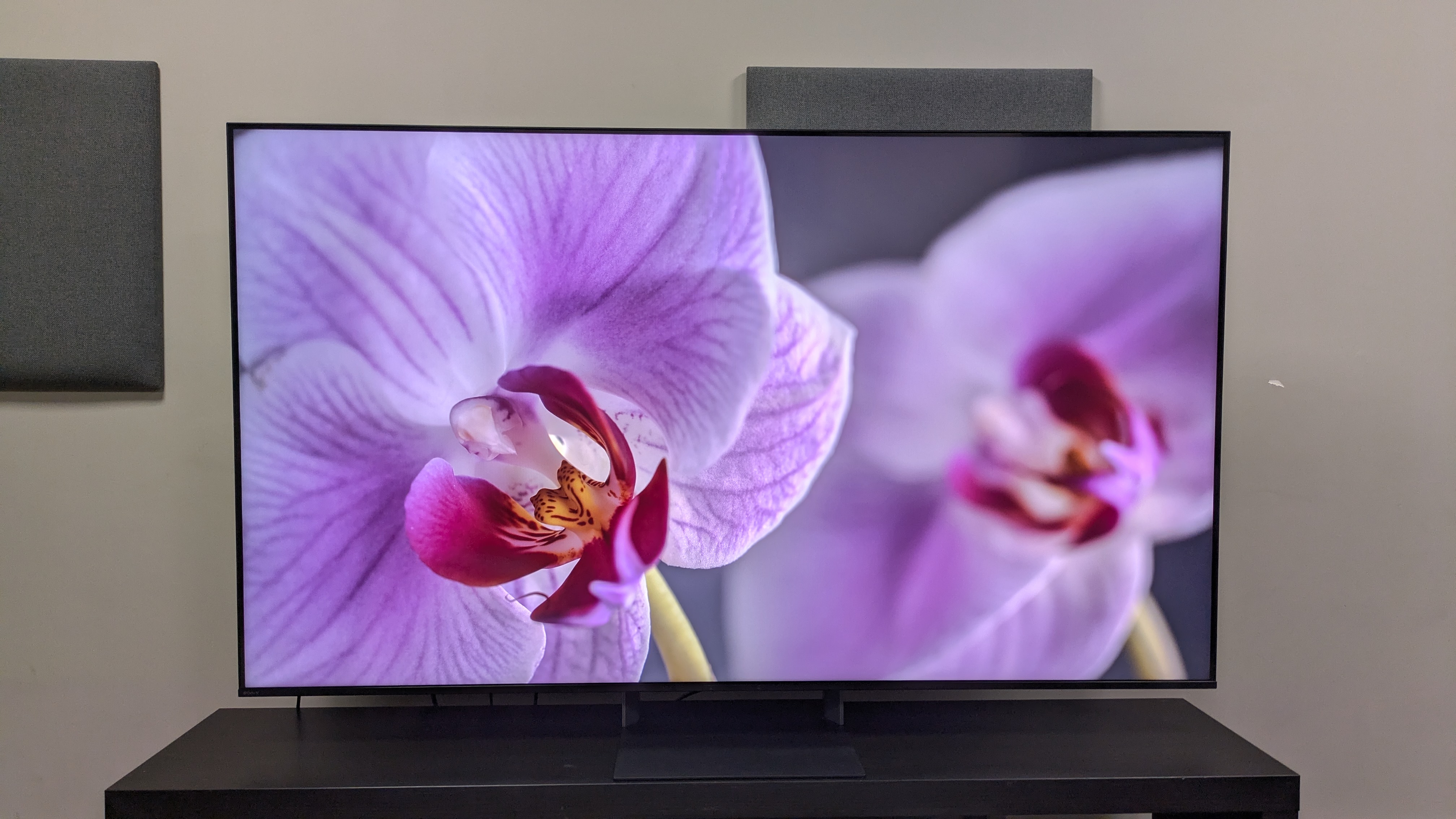
(Image credit: Future)
Release date: July 2026
50-inch price: N/A / £1,899 / AU$2,295
55-inch price: $2,099 / £1,999 / AU$2,499
65-inch price: $2,599 / £2,299 / AU$3,299
75-inch price: $3,099 / £2,999 / AU$4,499
85-inch price: $3,999 / £3,999 / AU$5,999
The Bravia 7 II is the more affordable model in Sony’s True RGB TV lineup, sitting below the flagship Sony Bravia 9 II. The 65-inch model I tested for my review launched at $2,599 / £2,299 / AU$3,299, putting it at a similar launch price to the C6 OLED.
Since its release, the Bravia 7 II has been on sale several times, with the same 65-inch model I tested dropping to $1,799 in the US and £1,999 in the UK. Prices remain unchanged in Australia at the time of writing.
Sony Bravia 7 II review: Specs
Sony Bravia 7 II review: Benchmark results
1 / 4
Brightness Measurements
Taken using a colorimeter and test pattern generator. Click the test name for measurements and select the chosen test from the dropdown menu.
HDR FilmmakerHDR StandardSDR FilmmakerSDR Standard
Sony Bravia 7 II
HDR Filmmaker Mode (10% window)
1114
HDR Filmmaker Mode (Fullscreen)
829
LG C6
HDR Filmmaker Mode (10% window)
1427
HDR Filmmaker Mode (Fullscreen)
247
Samsung R95H
HDR Filmmaker Mode (10% window)
1977
HDR Filmmaker Mode (Fullscreen)
612
05001,0001,5002,000
nits
HDR Filmmaker Data
Product | HDR Filmmaker Mode (10% window) (nits) | HDR Filmmaker Mode (Fullscreen) (nits) |
Sony Bravia 7 II | 1114 | 829 |
LG C6 | 1427 | 247 |
Samsung R95H | 1977 | 612 |
Sony Bravia 7 II
HDR Standard Mode (10% window)
1295
HDR Standard Mode (Fullscreen)
788
LG C6
HDR Standard Mode (10% window)
1364
HDR Standard Mode (Fullscreen)
243
Samsung R95H
HDR Standard Mode (10% window)
2066
HDR Standard Mode (Fullscreen)
647
07501,5002,2503,000
nits
HDR Standard Data
Product | HDR Standard Mode (10% window) (nits) | HDR Standard Mode (Fullscreen) (nits) |
Sony Bravia 7 II | 1295 | 788 |
LG C6 | 1364 | 243 |
Samsung R95H | 2066 | 647 |
Sony Bravia 7 II
SDR Filmmaker Mode (10% window)
90
SDR Filmmaker Mode (Fullscreen)
94
LG C6
SDR Filmmaker Mode (10% window)
333
SDR Filmmaker Mode (Fullscreen)
237
Samsung R95H
SDR Filmmaker Mode (10% window)
115
SDR Filmmaker Mode (Fullscreen)
185
0100200300400
nits
SDR Filmmaker Data
Product | SDR Filmmaker Mode (10% window) (nits) | SDR Filmmaker Mode (Fullscreen) (nits) |
Sony Bravia 7 II | 90 | 94 |
LG C6 | 333 | 237 |
Samsung R95H | 115 | 185 |
Sony Bravia 7 II
SDR Standard Mode (10% window)
608
SDR Standard Mode (Fullscreen)
476
LG C6
SDR Standard Mode (10% window)
391
SDR Standard Mode (Fullscreen)
234
Samsung R95H
SDR Standard Mode (10% window)
413
SDR Standard Mode (Fullscreen)
187
0200400600800
nits
SDR Standard Data
Product | SDR Standard Mode (10% window) (nits) | SDR Standard Mode (Fullscreen) (nits) |
Sony Bravia 7 II | 608 | 476 |
LG C6 | 391 | 234 |
Samsung R95H | 413 | 187 |

HDR color gamut
Closer to 100% is better. Taken using a colorimeter and test pattern generator.
Sony Bravia 7 II
UHDA-P3
98.6
BT.2020
89.6
LG C6
UHDA-P3
99.7
BT.2020
75.9
Samsung R95H
UHDA-P3
148
BT.2020
94.1
037.575112.5150
HDR Filmmaker Data
Product | UHDA-P3 () | BT.2020 () |
Sony Bravia 7 II | 98.6 | 89.6 |
LG C6 | 99.7 | 75.9 |
Samsung R95H | 148 | 94.1 |
Picture accuracy
A lower score is better. Taken using a colorimeter and test pattern generator.
SDR Delta-E
Sony Bravia 7 II
6.5
LG C6
1.3
Samsung R95H
3.7
01234567
SDR Delta-E Data
Product | Value |
Sony Bravia 7 II | 6.5 |
LG C6 | 1.3 |
Samsung R95H | 3.7 |
Input lag
Lower is better. Taken using a Leo Bodnar 4K HDMI Video Signal Lag Tester.
Sony Bravia 7 II
4K 60Hz
10.4
1080p 120Hz
5.7
LG C6
4K 60Hz
9.2
1080p 120Hz
4.7
Samsung R95H
4K 60Hz
11.7
1080p 120Hz
9.4
03.757.511.2515
ms
HDR Filmmaker Data
Product | 4K 60Hz (ms) | 1080p 120Hz (ms) |
Sony Bravia 7 II | 10.4 | 5.7 |
LG C6 | 9.2 | 4.7 |
Samsung R95H | 11.7 | 9.4 |
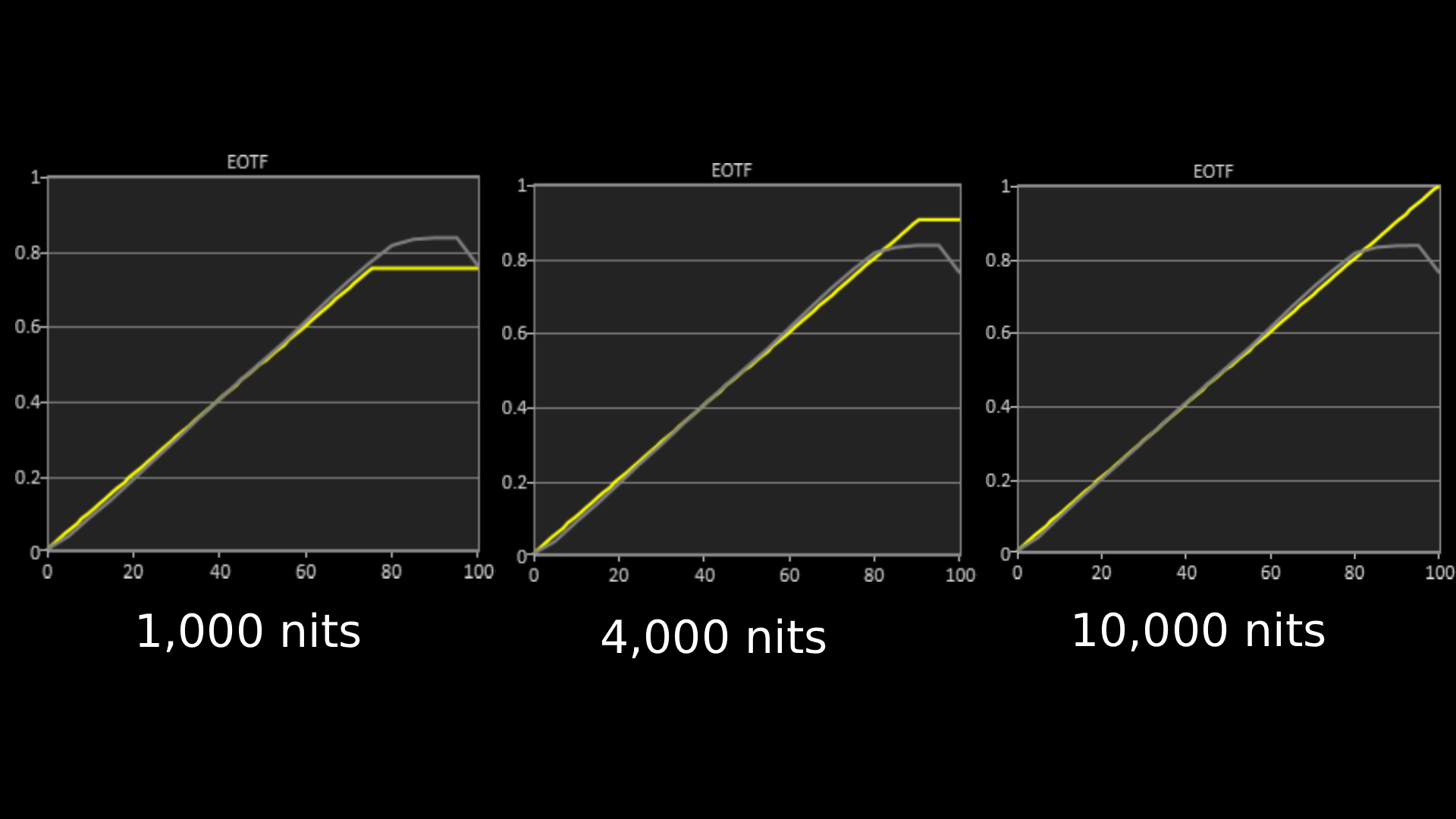
The above EOTF graphs show the accuracy of the Sony Bravia 7 II in hitting different HDR brightness levels in grayscale. The closer to the yellow line, the more accurate a TV is. As with all our tests, these results are out of the box, without calibration, to demonstrate the performance most people will get. As you can see, the UR8 did very well on all three target tests, showing little deviation from the reference line. (Image credit: Future)
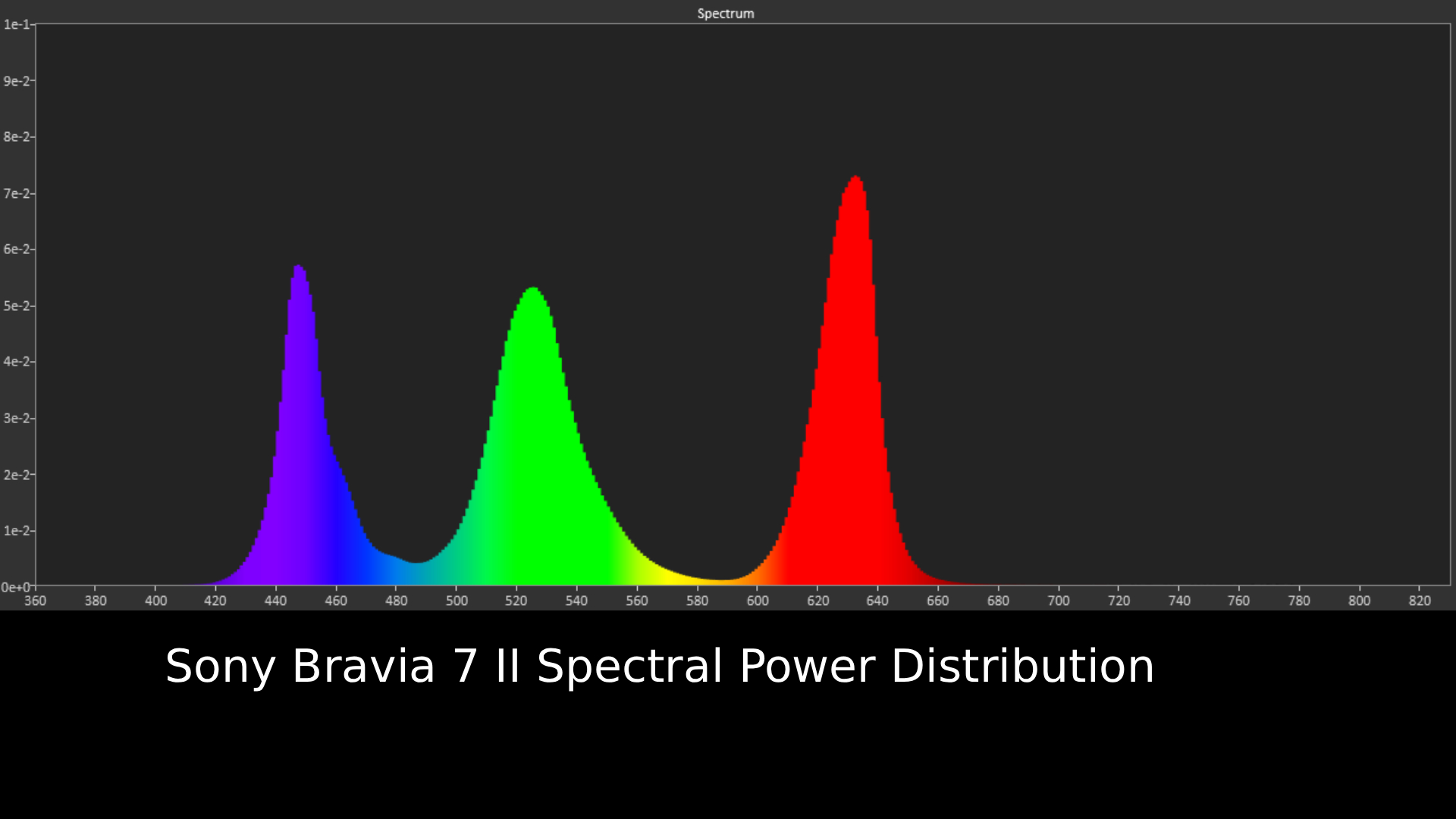
Spectral power distribution refers to the intensity of light that a source will display at various wavelengths of color. It can reveal how accurately a source shows color at different light levels and be instructive in understanding how a TV is handling color (Image credit: Future)
Sony Bravia 7 II review: Features
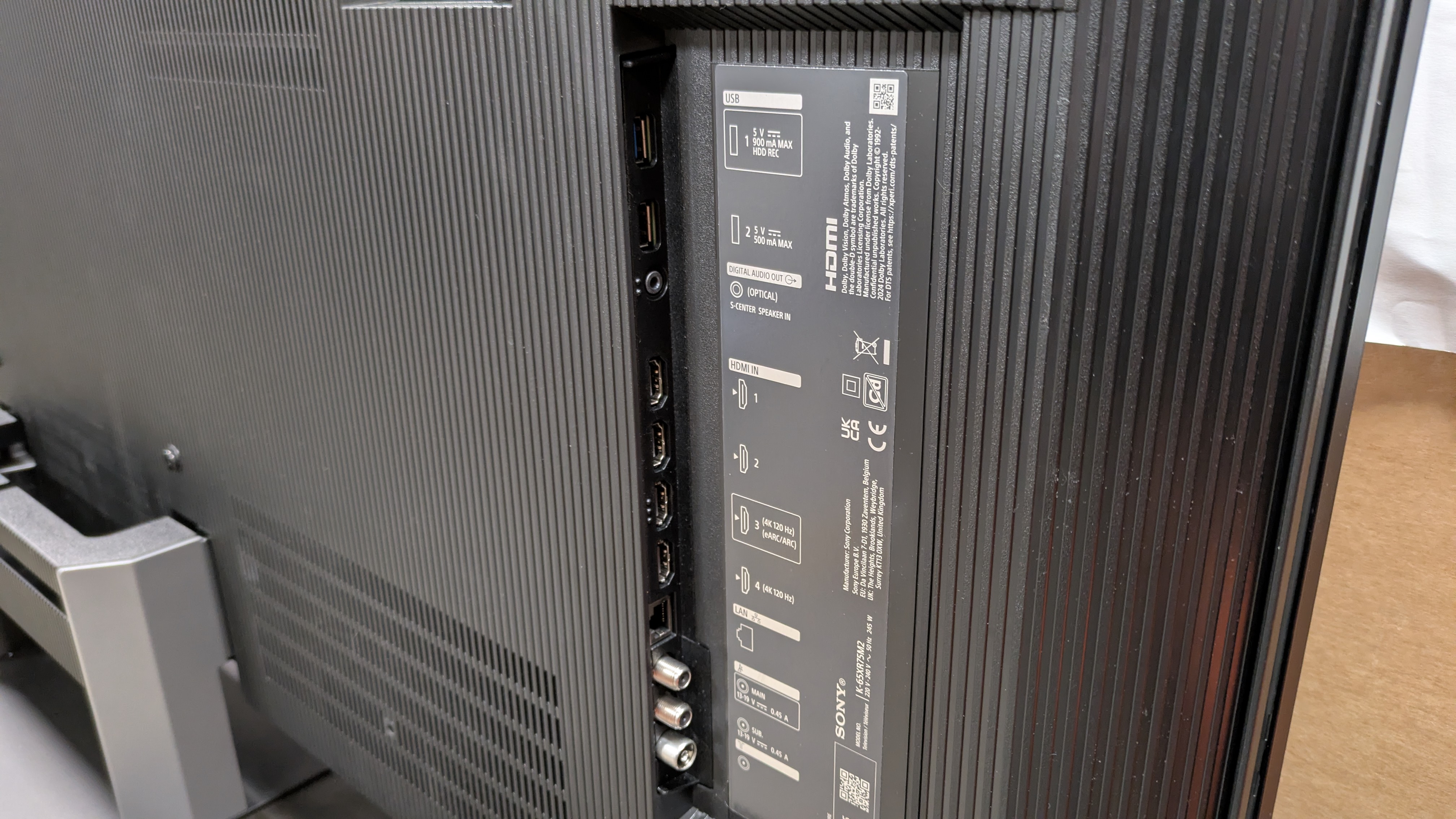
The Bravia 7 II has a good number of connections, but only two HDMI 2.1 ports. (Image credit: Future)
RGB mini-LED panel
XR Processor
Perfect for PS5 features
The Bravia 7 II is one of Sony’s True RGB TVs and features an RGB mini-LED backlight. This introduces red, green and blue LEDs instead of the normal white you’ll find in a standard LED/mini-LED panel for greater color volume and (generally) higher brightness. Along with the RGB backlight, there are numerous named RGB features, including RGB Backlight Master Drive Pro and RGB Triluminous Max
The Bravia 7 II is equipped with Sony’s own XR Processor, which supports picture features such as XR Clear Image (for better motion clarity), XR Motion Clarity (for smoother motion) and XR Contrast Booster (for enhanced contrast).
Dolby Vision is supported but not HDR10+ (which isn’t unusual for Sony). There's also support for IMAX Enhanced content.
The Bravia 7 II supports an X-Wide Angle Pro feature for better viewing angles, something RGB TVs from most brands say is one of the advantages of the new technology, as standard mini-LED, when viewed from an angle, can often result in backlight blooming.
As for audio, the 65-, 75- and 85-inch models have a 40W speaker system consisting of two full-range speakers and two subwoofers. The 50- and 55-inch models use two full-range speakers and two tweeters. The Bravia 7 II supports AI Voice upscaling and room calibration audio features, and both Dolby Atmos and DTS:X (as well as DTS-HD) audio formats.
For gaming, the Bravia 7 II has two HDMI 2.1 ports that support 4K 120Hz, ALLM and VRR gaming. The other two ports are standard HDMI 2.0. There are also Perfect for PS5 features, including Auto HDR Tone Mapping, Auto Genre Picture Mode (where the TV will automatically switch to game picture mode when a PS5 is detected), and support for the PS Remote Play app, where you can control your PS5, PS5 Pro or PS4 from another location via the TV.
The Bravia 7 II uses Google TV as its smart TV platform and supports the usual streaming apps such as Netflix and Prime Video, as well as Sony’s own Bravia Pictures Core streaming service. In the UK, there is support for BBC iPlayer, ITVX, Channel 4 and Channel 5 streaming apps. In the US, the Bravia 7 II features an ATSC 3.0 tuner.
Features score: 4.5/5
Sony Bravia 7 II review: Picture quality
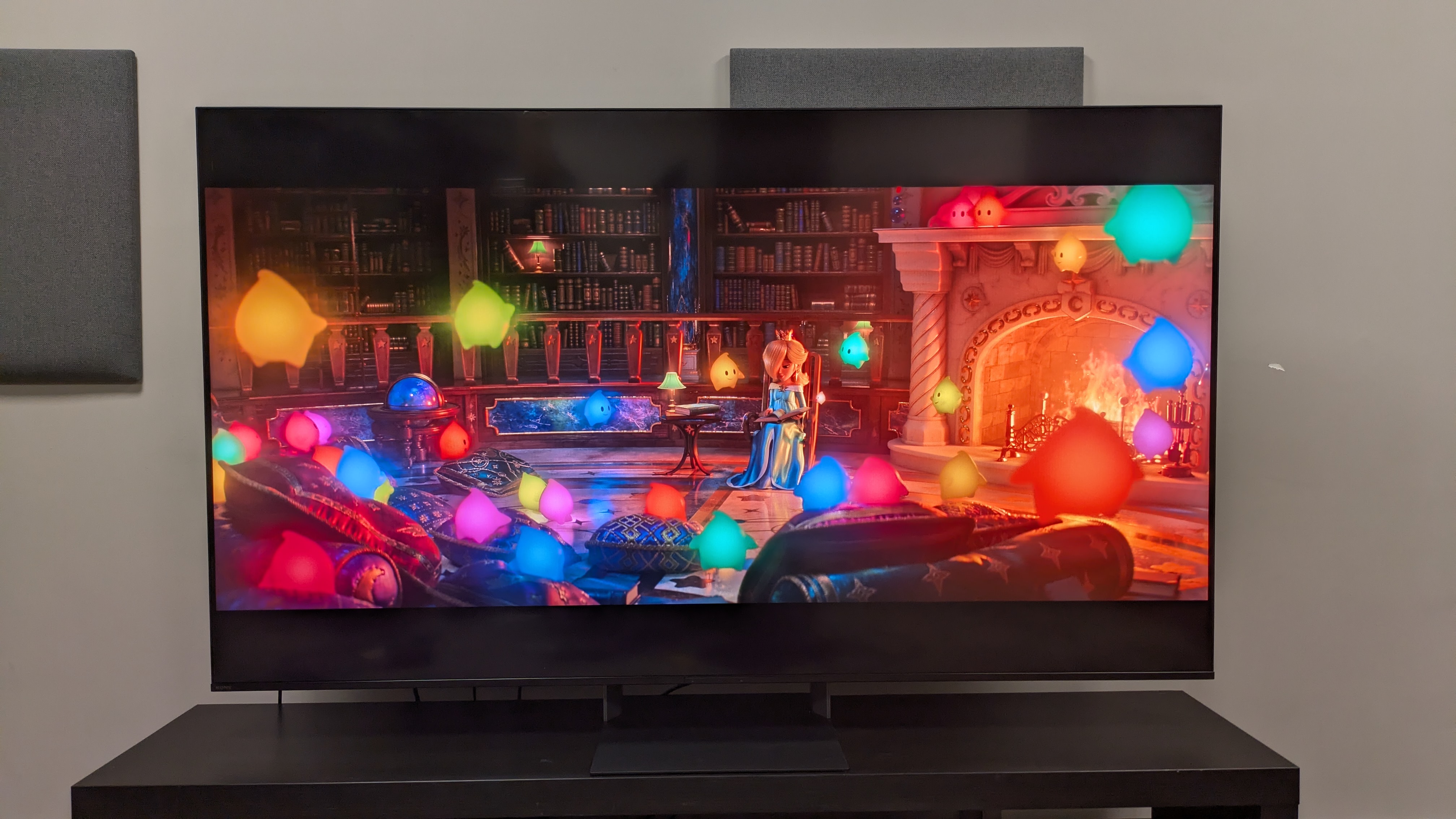
Color reproduction is one of the Bravia 7 II's real strengths, delivering vibrant colors that make movies like The Super Mario Galaxy Movie (pictured) really pop. (Image credit: Nintendo / Universal Pictures / Future)
Brilliant color reproduction
Excellent contrast
Blooming when viewed off-center
Starting with brightness measurements, the 65-inch Bravia 7 II registered 1,114 nits peak HDR brightness in its Professional picture mode (its equivalent to Filmmaker), 1,295 nits in Standard mode, and 1,163 nits in Cinema mode. This makes it one of the dimmer RGB TVs I’ve tested out of the box, with the UR8 hitting 2,097 nits and the R95H hitting 1,977 nits, both in HDR Filmmaker Mode.
As for HDR fullscreen brightness, the Bravia 7 II registered 829 nits in Professional mode, a solid number that beats both the UR8, which hit 771 nits, and the R95H, which hit 612 nits: again, both in Filmmaker Mode.
The Bravia 7 II also registered promising peak SDR brightness in Standard mode, hitting 608 nits, and in Cinema mode, hitting 663 nits, making it a good TV for standard daytime and broadcast TV and other non-HDR sources.
One of the first things I noted about the Bravia 7 II while testing it in our lab is that it has a reflective screen. Any dark scenes viewed in bright lighting showed mirror-like reflections on the screen, especially when there was a lot of black. If you’re watching a darker movie or TV show, it’s definitely worth watching in ambient conditions.
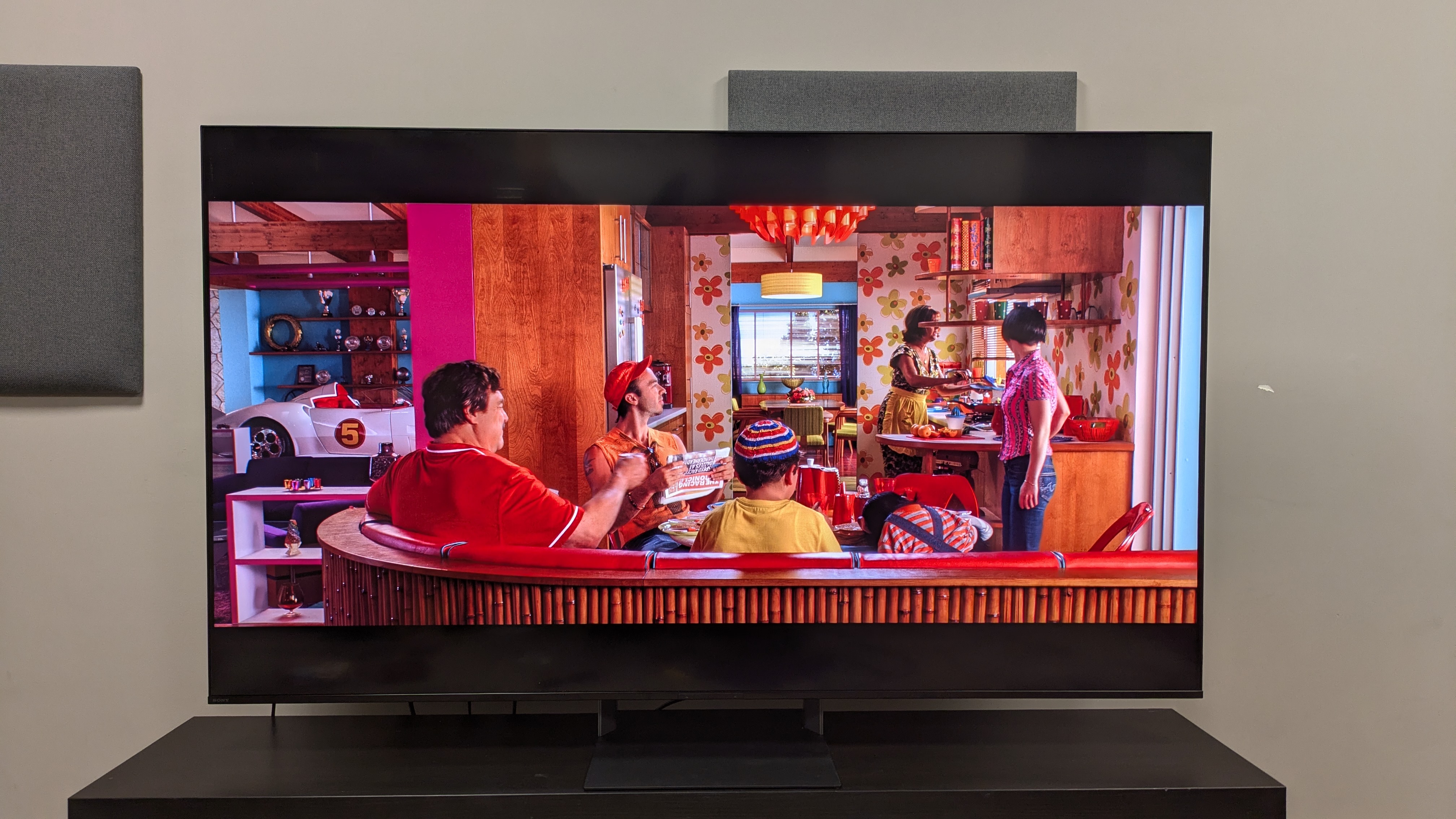
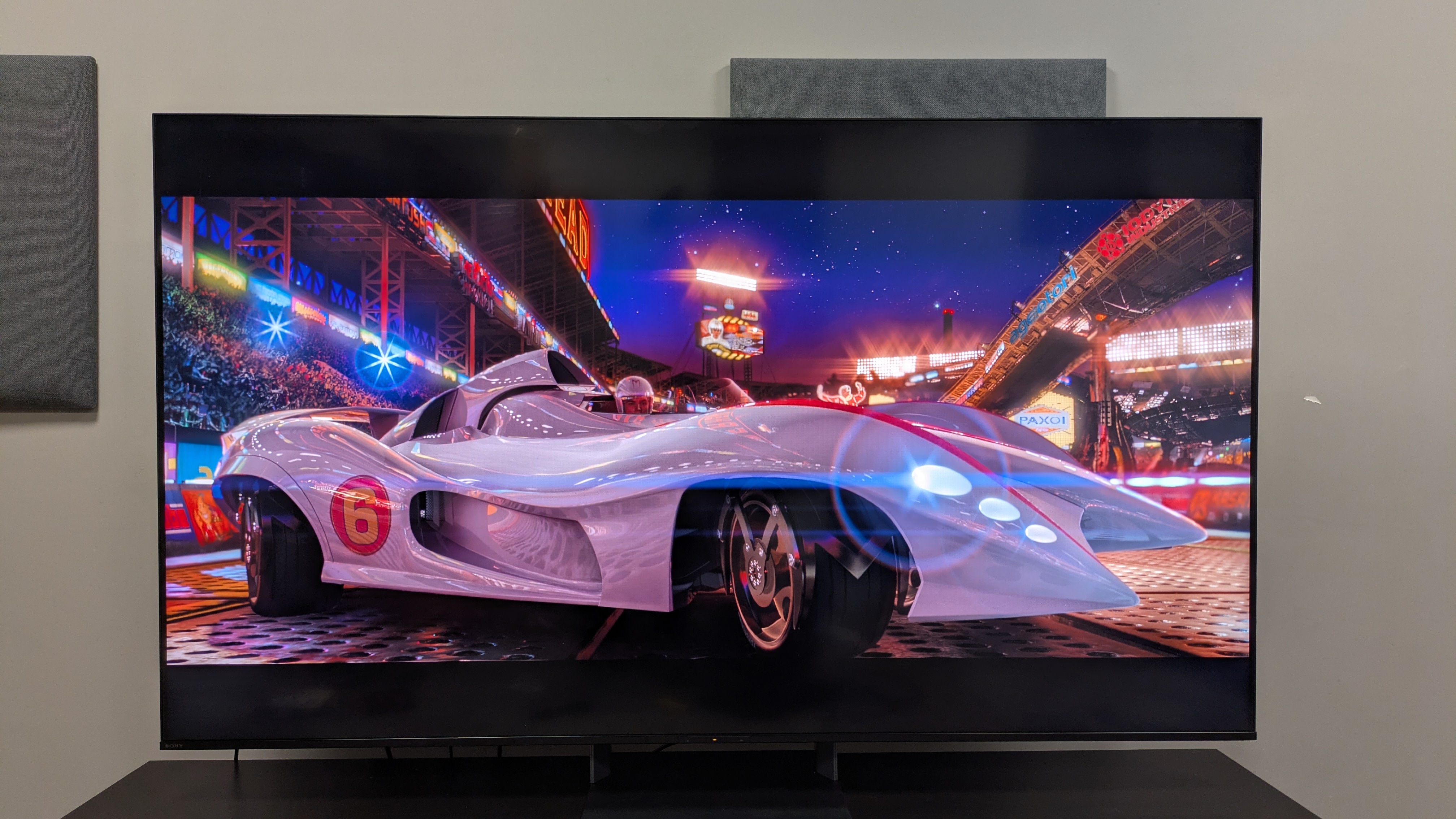
Colors also look accurate and punchy in equal measure in real-world movies like Speed Racer (pictured) (Image credit: Future)
Moving to 4K, HDR content, the Bravia showcases excellent color reproduction: some of the best I’ve seen on an RGB TV so far. Watching The Super Galaxy Movie, colors really pop on-screen with superb vibrancy. As the Lumas all gather in the room for story time, the Lumas themselves are vibrant, showing off the Bravia 7 II’s fantastic color volume. Other bright colors throughout the movie, such as the green of Yoshi’s skin, are bold and rich, too.
In a real-world movie, namely Speed Racer, the Bravia 7 II renders the gaudy interior of the Racer home and their outfits with real accuracy and some impressive clarity. The purple of Royalton Industries is another highlight, where the Bravia 7 II shows excellent highlights and great color luminance.
It’s not surprising the Bravia 7 II delivered brilliant colors as it scored highly in the HDR color gamut coverage tests. It registered 87.7% of the BT.2020 color space and 99.2% of the UHDA-P3 color space: both excellent results that are up there with QD-OLED TVs. While other RGB TVs I’ve tested have broken the scale of the UHDA-P3 coverage, with both the Hisense UR8 and Samsung R95H hitting over 145%, this didn’t stop the Bravia 7 II colors from looking fantastic. In fact, in my Bravia 7 II vs R95H comparison, I often preferred the Bravia 7 II’s color profile. It even gave the C6 a run for its money in my .
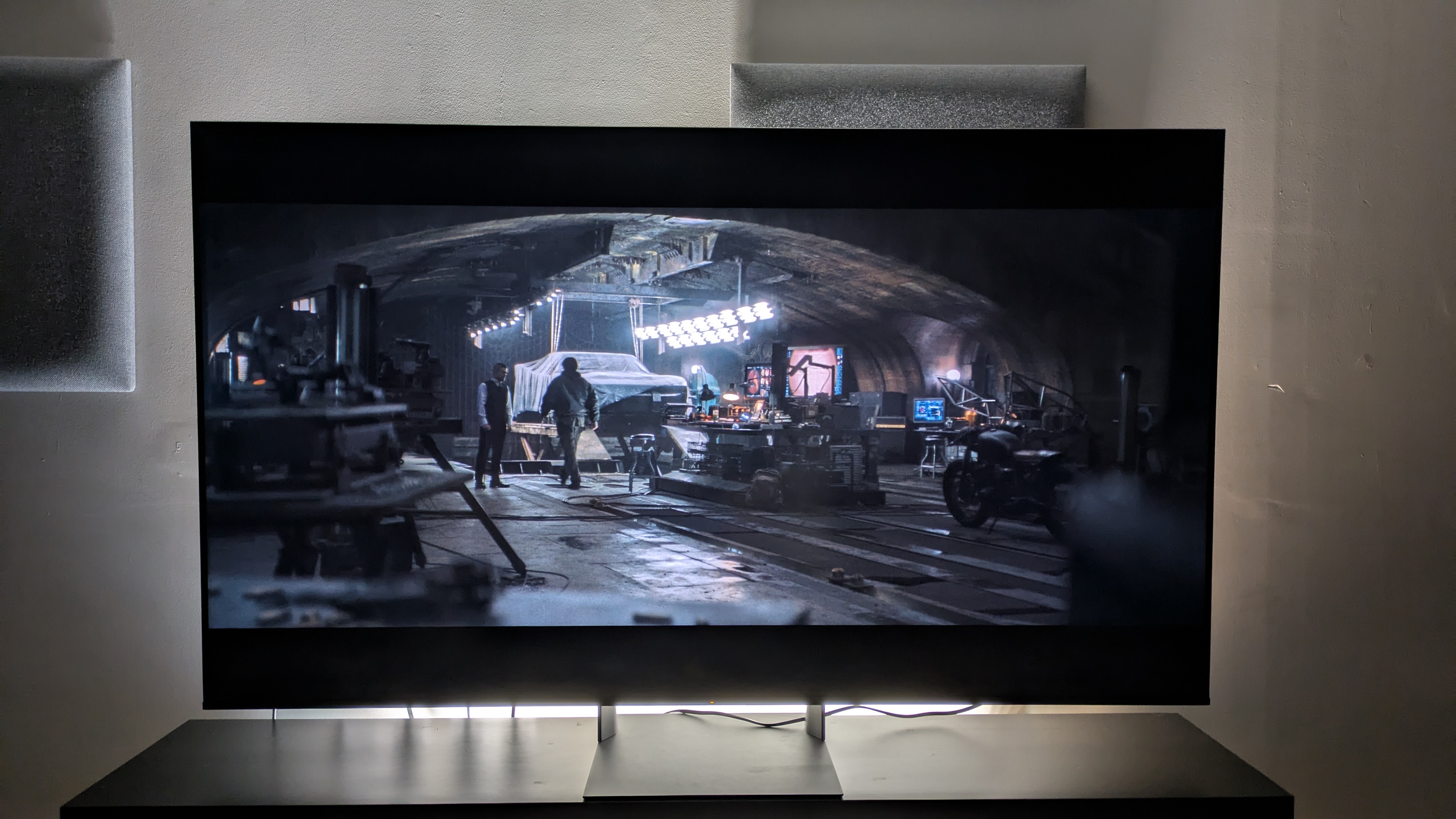
The Bravia 7 II even handles challenging dark movies like The Batman (pictured) well, showing good backlight control and strong contrast (Image credit: Warner Bros / Future)
The Bravia 7 II’s contrast is strong. In The Batman, the dark walls and floors of the Batcave balance well with the bright tones from the overhead lights and monitors Bruce uses when reviewing video footage. There’s also great shadow detail, where textures such as the back wall of a subway platform Batman stands on are legible while still maintaining rich dark tones.
In Dark City, blacks are deep and inky, and again there’s powerful contrast at work. I did notice some occasional black crush in some scenes. When John is talking to the hotel clerk, the texture of his curly hair isn’t as clear, but black tones are still rich. In my , the R95H proved to have better black detail in this scene.
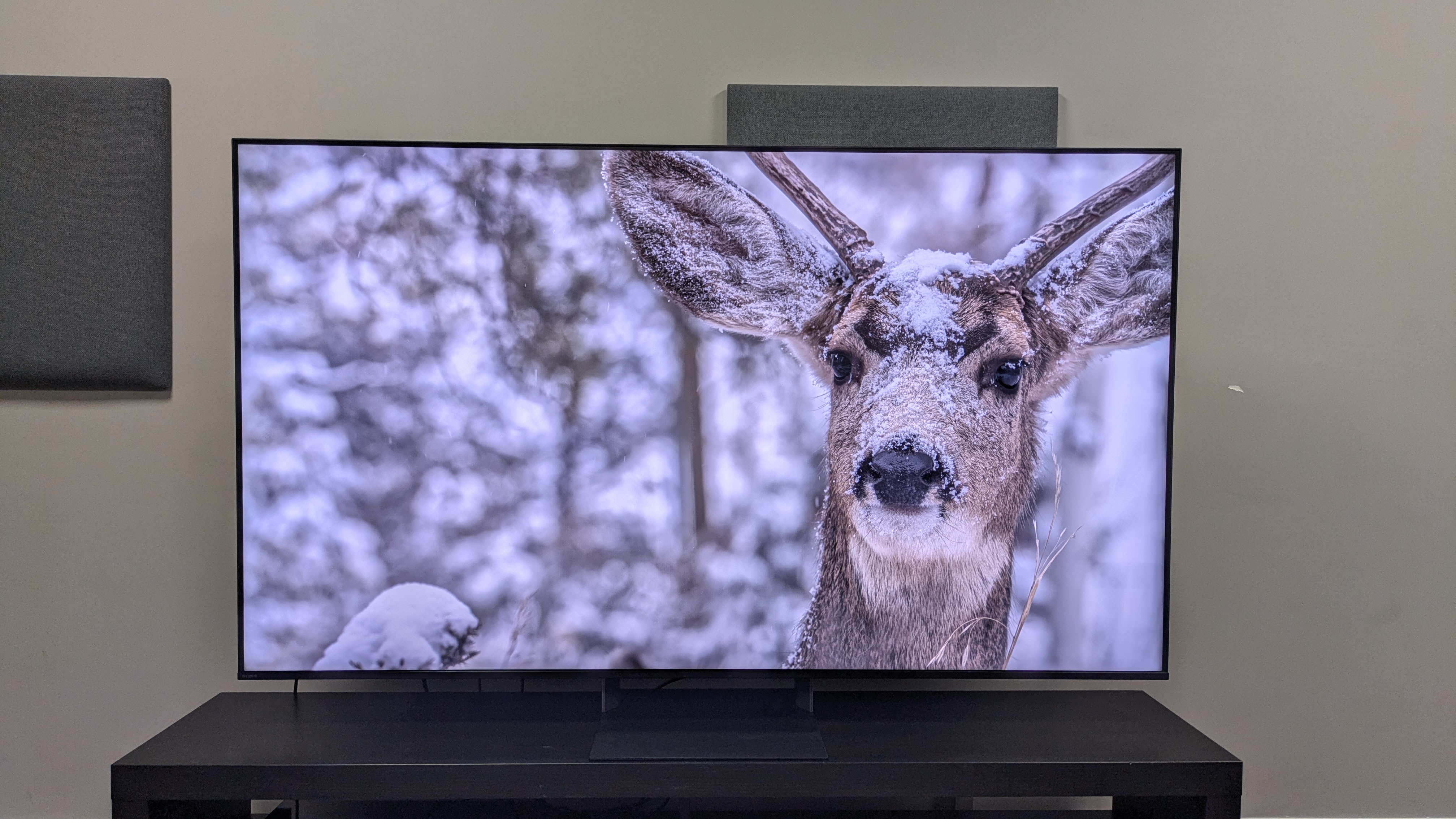
The Bravia 7 II's detail is again one of its strong suits, as it delivers 3D-like textures that give the picture real depth (Image credit: Future)
The Bravia 7 II showed superb detail and crisp textures throughout my testing. In footage of a snow-covered deer from the Spears & Munsil UHD Benchmark 4K Blu-ray, the deer has a near-3D-like look, showing some nice depth that really made the image come to life. This is true in other reference scenes I used too, such as how people look in Speed Racer. Skin looks lifelike, and other textures, like the detail of the Mach 5 car, were delivered with gorgeous clarity.
It also demonstrates excellent motion handling, even with motion settings turned off. As cars glided around the track in the opening race of Speed Racer, there were very minimal signs of judder or blur. The Bravia 7 even effectively handled the commentators moving across the screen, something I’ve seen produce serious judder on other TVs.
Image 1 of 2
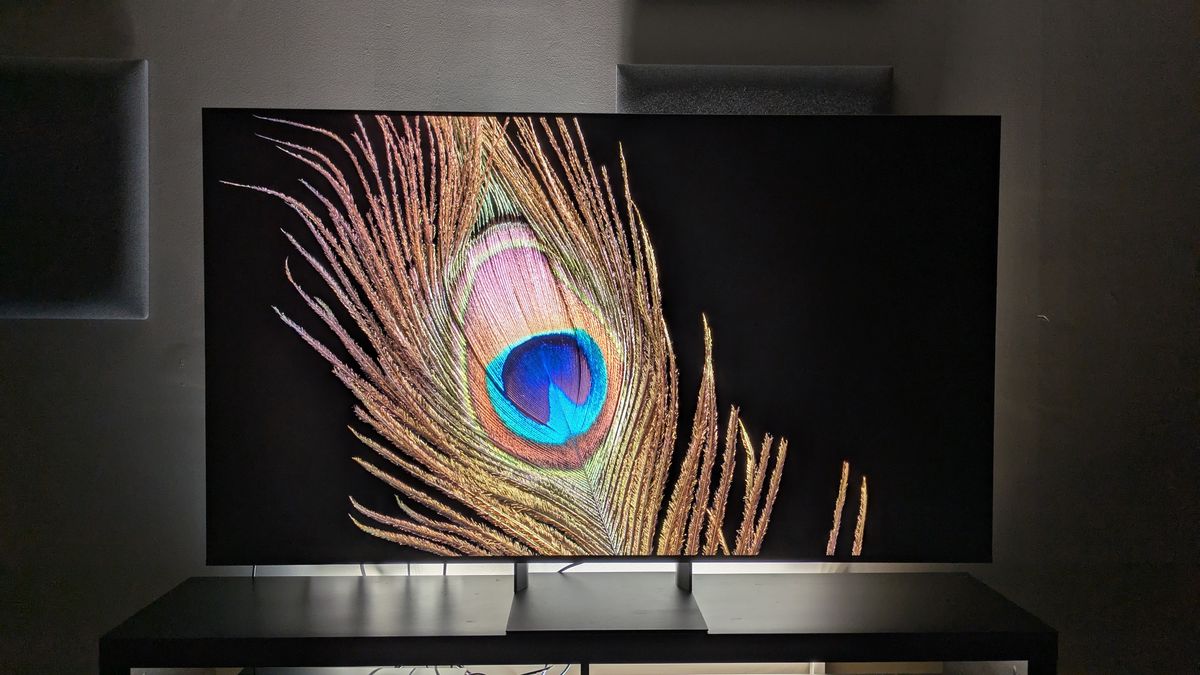
Viewed head on (1) the Bravia 7 II delivers deep black tones and contrast (Image credit: Future)
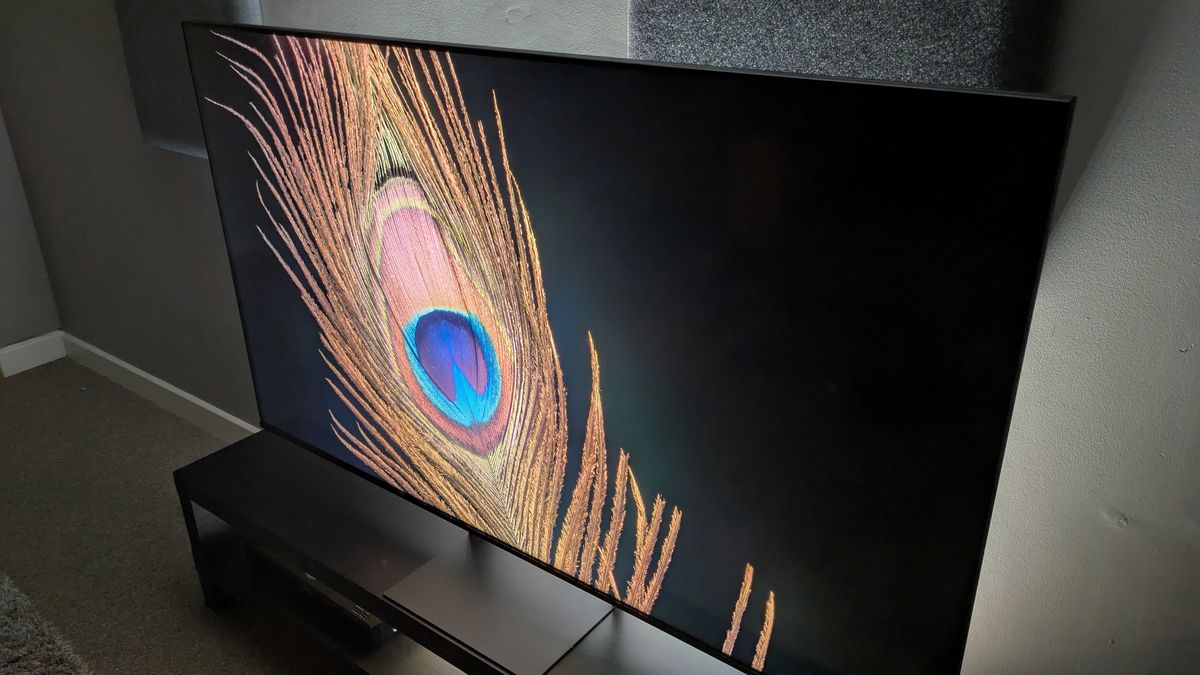
When viewed from an angle, signs of blooming appear, though it is still better than standard mini-LED (Image credit: Future)
Image 1 of 2
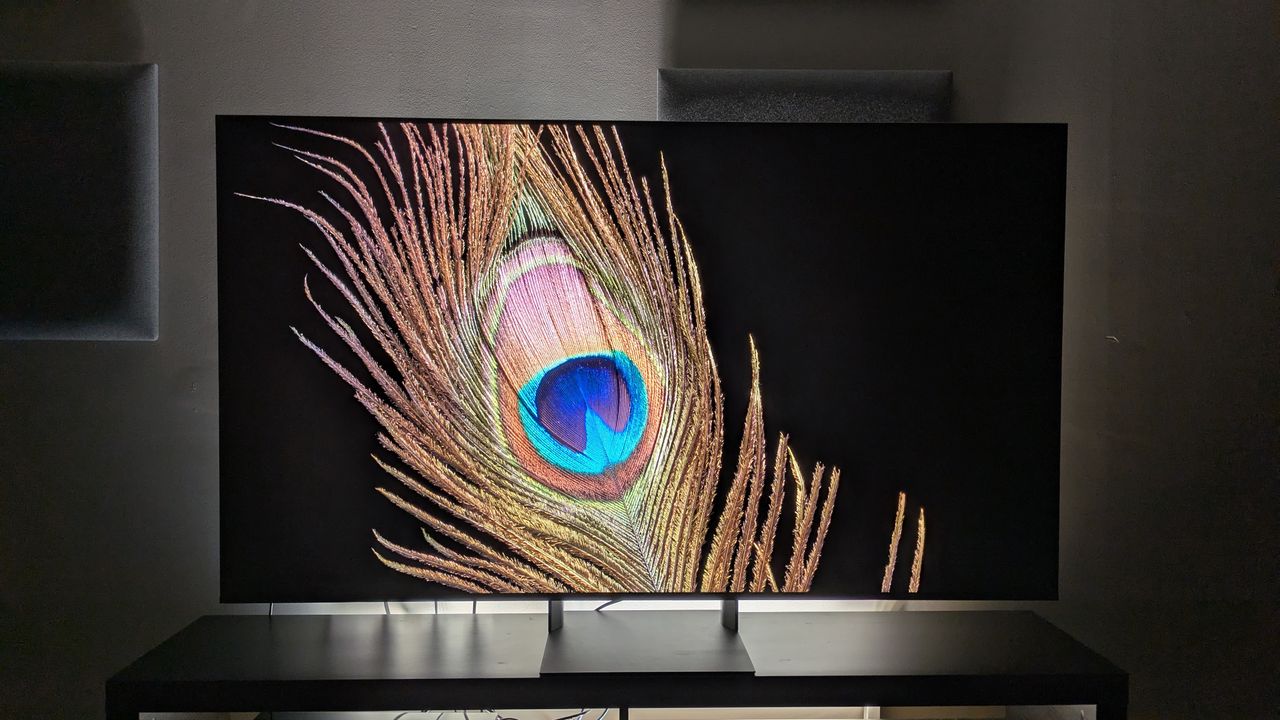
Image 2 of 2
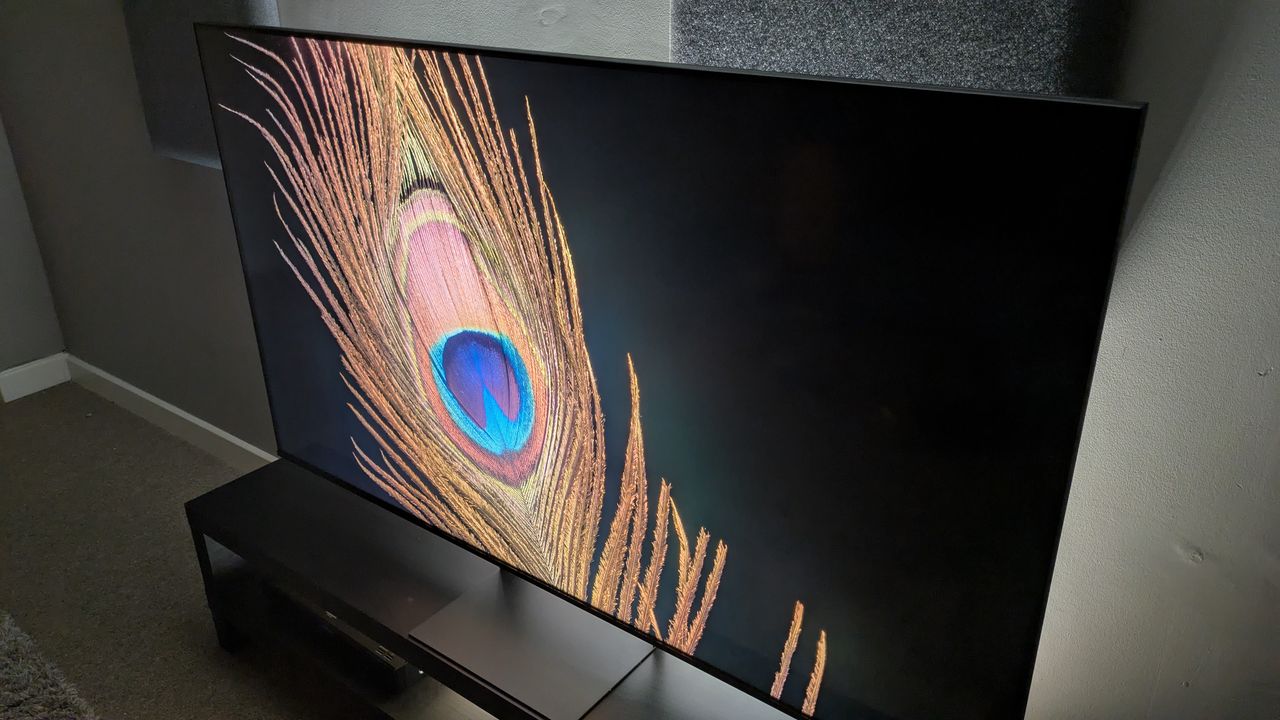
While I did find that viewing angles of the Bravia 7 II were better than a standard mini-LED, I noted that when viewed from an extreme angle, some backlight blooming was visible, especially in dark scenes. As white text appears against a black background, there's a halo effect around the writing. This is an area where OLED, which RGB aims to rival, is still superior, as OLED has self-dimming pixels for better control. However, the Bravia 7 II did mostly deliver very good backlight control when viewed head-on.
Picture quality score: 4.5/5
Sony Bravia 7 II review: Sound quality
The Bravia 7 II's built-in sound does an admirable job with movies like Speed Racer, but I'd still recommend a soundbar. (Image credit: Warner Bros / Future)
Good dynamics and detail
Effective Acoustic Room Calibration
Sound can still feel contained to screen
The 65-inch Bravia 7 II has a 40W speaker system, consisting of two full-range speakers and two subwoofers. Rather than the conventional sound modes of other TVs, it focuses on a much more manual approach, with an equalizer and processing settings for users to experiment with.
During the opening race of Speed Racer, the Bravia 7 II delivered accurate sound with clear dynamics. As cars swerved around the track, the sound was accurately mapped to the picture on screen. In one section, as Speed grinds his car on a rail, the subtle grinding noise was audible amongst the chaos of the race. There was some solid, punchy bass capturing the sound of the engines, but I couldn’t help but feel it lacked the ‘oomph’ I’ve come to expect from Sony’s TVs.
Activating Acoustic Room Calibration added some much-needed edge to the sound. The soundstage widened, creating a more immersive sound, and bass was heftier, rendering the roar of the engines more accurately. Voices were clear with and without the calibration, but they were clearer with the calibration active. Atmos effects such as cars flying overhead as they cleared the track’s jumps were also more audible.
Still, the sound could be harsh at times, especially when in the ‘compressed’ dynamic range. I opted for ‘standard’ for a quieter, warmer sound profile. The sound again felt artificial at times, and still felt contained to the rear of the TV. While the overall sound is decent, it won’t beat a good soundbar.
Sound quality score: 4/5
Sony Bravia 7 II review: Design
Image 1 of 2
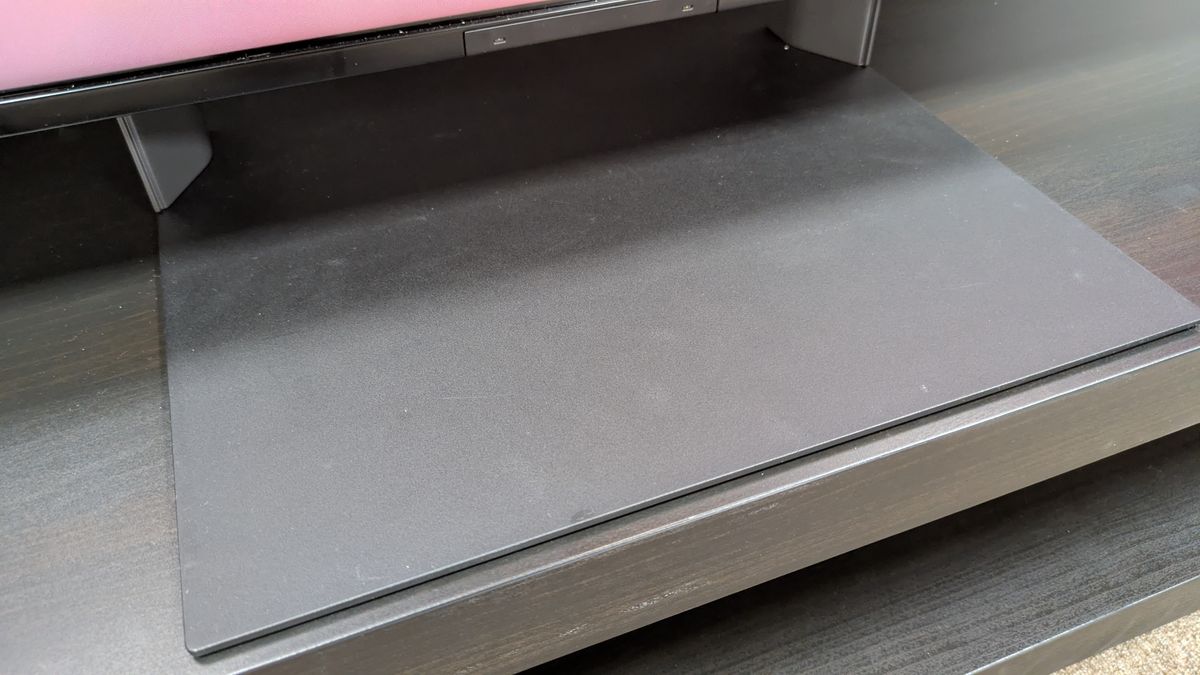
The Bravia 7 II's stand (pictured 65-inch) can blend in with the right table-top stand (Image credit: Future)
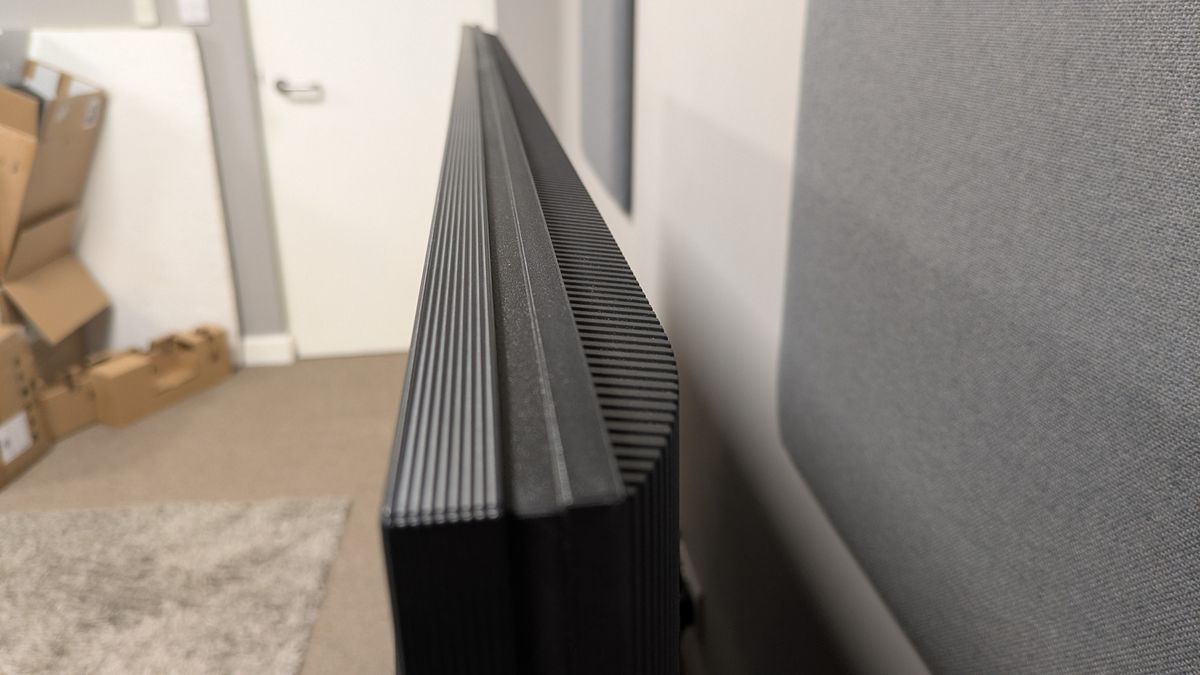
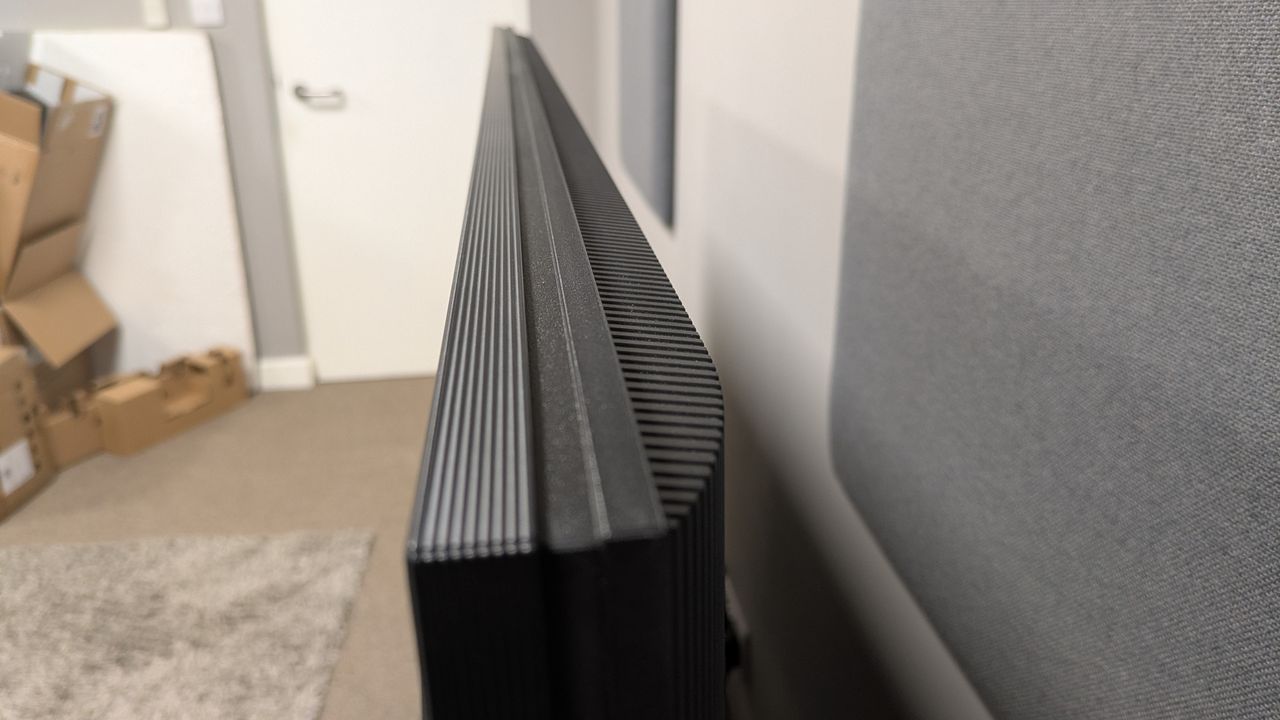
The Bravia 7 II is bulkier than a lot of other TVs I've tested this year (Image credit: Future)
Image 1 of 2
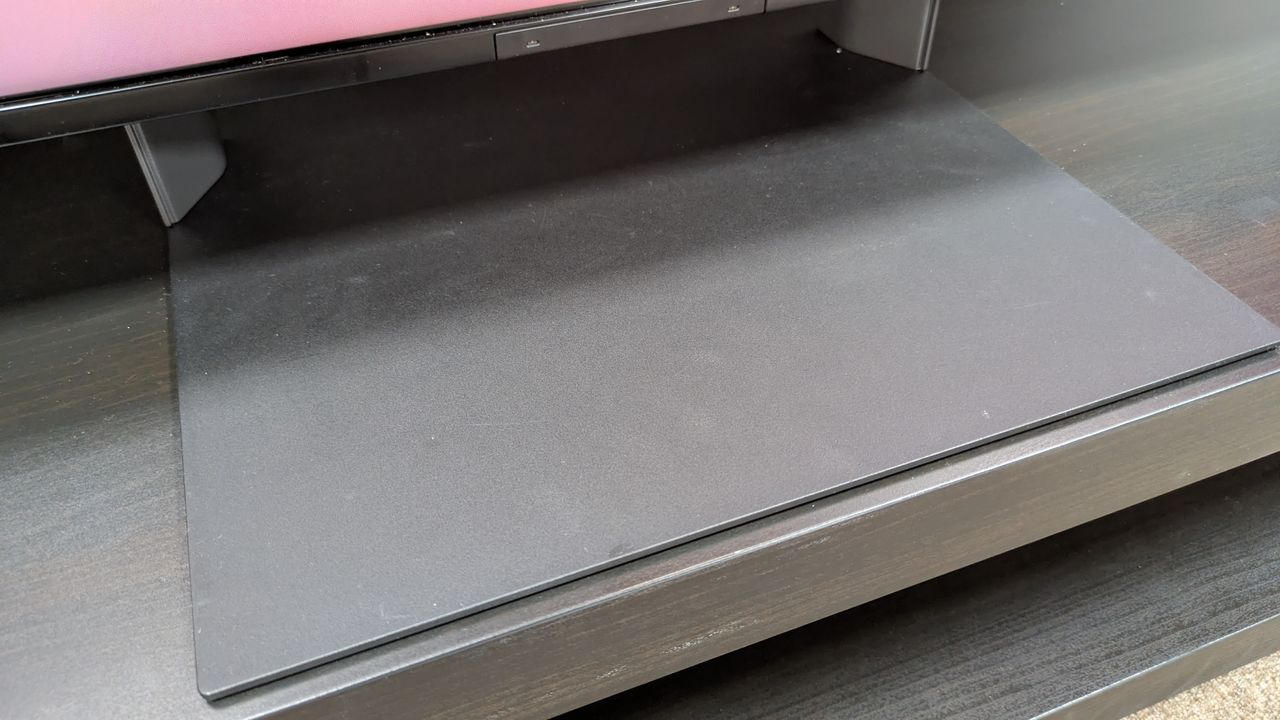
Image 2 of 2
‘Invisible’ stand
Hefty build
Bulkier than rivals
The Bravia 7 II has a central pedestal stand. Made of tough, sturdy metal, the Bravia 7 II feels secure on a tabletop stand, and against the right background (I use a dark-wood stand), the stand can blend in to create a more ‘floating’ look.
The Bravia 7 II itself is on the weightier side, mainly due to its bulkier frame. Compared to many other TVs in today’s market, the Bravia 7 II is much deeper and thicker, probably to handle its built-in speakers. The TV's bezel is trim, allowing plenty of room for the pictures on screen.
There are two remotes included with the Bravia 7 II (one mainly for UK users, as it has numbered buttons), but the main one is the Bravia Voice Remote. The button layout is functional and easy enough to understand, but it feels on the cheap side, being made of light plastic. For a TV at this price, I’d have liked a more premium remote.
Design score: 4/5
Sony Bravia 7 II review: Smart TV & menus
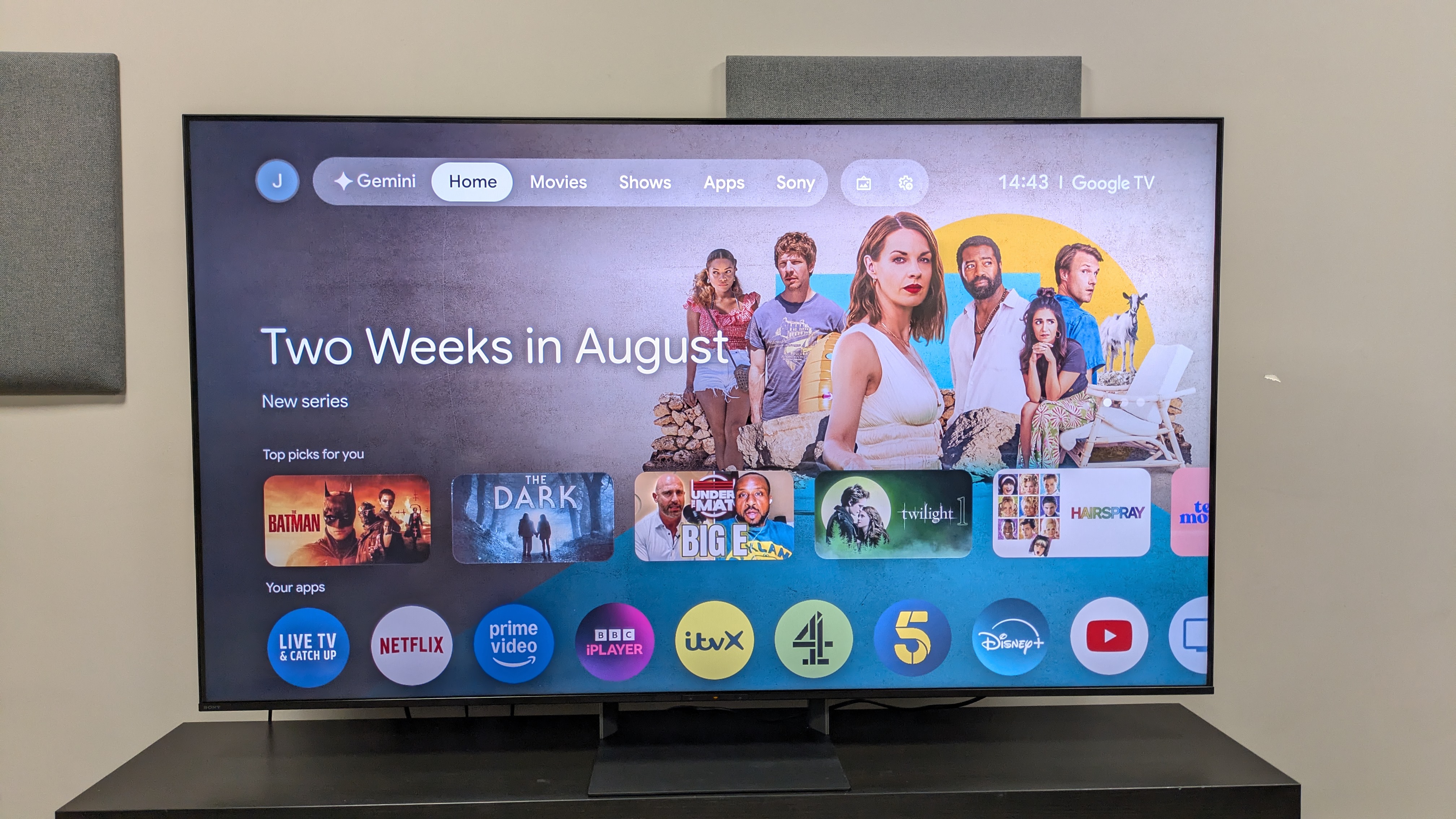
Google TV's large banner ads can be distracting (Image credit: Future)
Google TV
Good number of settings
Ads and performance can frustrate
Like most Sony TVs, the Bravia 7 II uses Google TV as its smart TV platform. Once logged in with your Google account, there will be recommendations from various apps based on your viewing history, which is useful for finding new content. However, the home page is beset with large banner ads that sometimes fill half the screen, which can be very distracting. Google TV supports all major streaming apps, including UK-based platforms such as BBC iPlayer and ITVX.
In terms of settings, the Bravia 7 II has plenty of picture settings and modes for users to get stuck into. There are tons of ways to customize picture settings, with AI-based tools and more traditional brightness, color, contrast and motion settings. The aforementioned sound settings (in the Sound Quality section) also allow for some freedom, but can be daunting for those looking for easy set-up.
I did find that while navigating through some apps and menus, the Bravia 7 II’s performance could stutter at times. This was also true when using the UB-820 4K Blu-ray player, with some stutters here and there. Performance for the most part was solid; just not as slick as on LG’s TVs, say.
Smart TV & menus score: 4/5
Sony Bravia 7 II review: Gaming
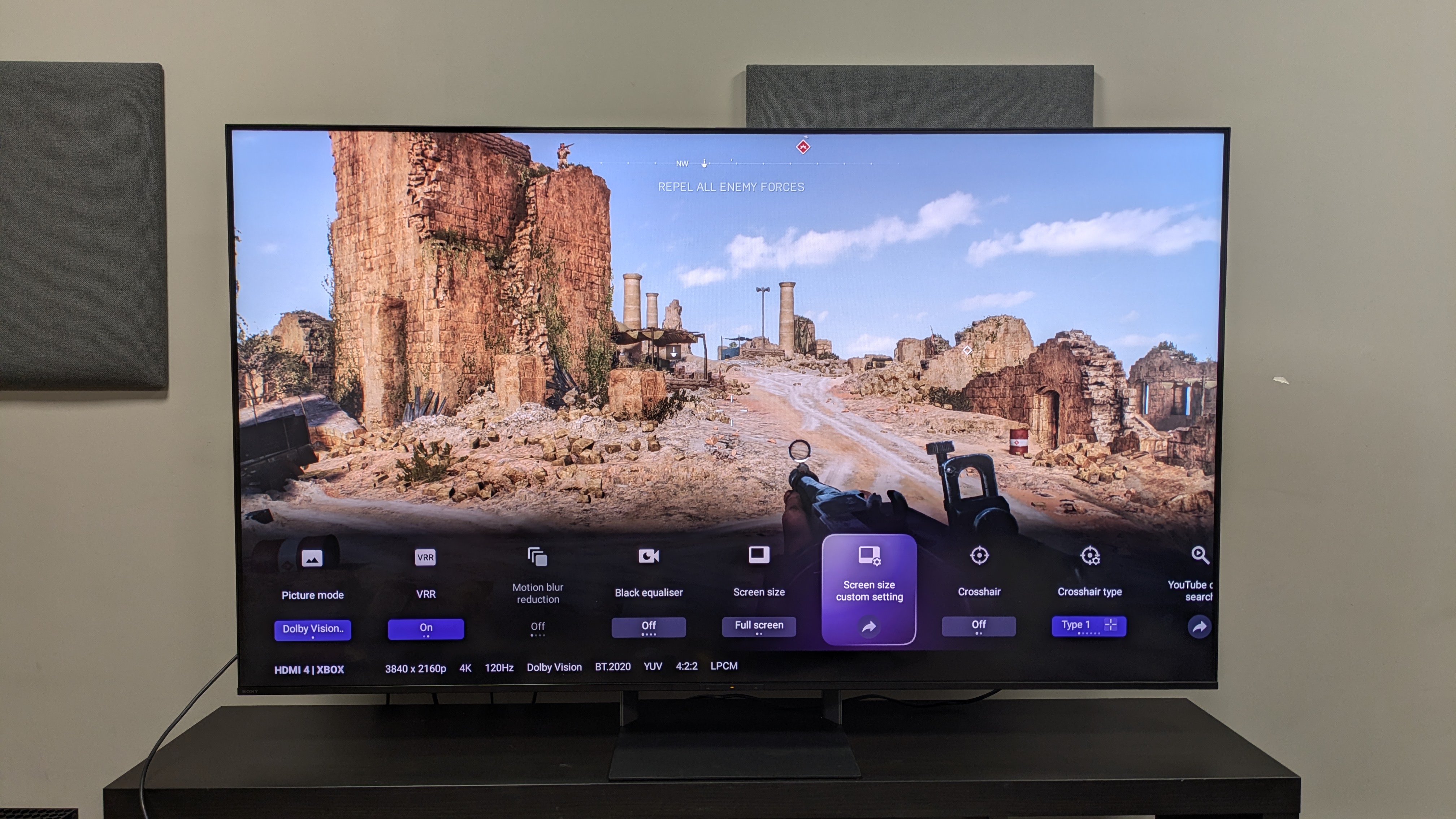
The Bravia 7 II is a great overall gaming TV, handling fast-paced games like Battlefield V (pictured) well: for the most part. (Image credit: Future)
10.4ms input lag time
4K 120Hz and VRR supported
Only two HDMI 2.1 ports
The Bravia 7 II supports 4K 120Hz, VRR, Dolby Vision gaming and ALLM, featured on two HDMI 2.1 ports. Using a Leo Bodnar 4K HDMI Input Lag Tester, I measured the Bravia 7 II’s input lag at 10.4ms at 4K 60Hz, which is a big improvement over other Sony TVs we’ve tested at TechRadar, such as the Bravia 8 II OLED, which clocked in at 16.3ms (4K 60Hz). The Bravia 7 II also registered 5.7ms at 1080p 120Hz: a solid time compared to other TVs I’ve tested this year.
These strong input lag times translate to actual gaming. Playing Battlefield V on Xbox Series X, the Bravia 7 II demonstrated responsive performance, which felt smooth even during chaotic battle sequences with a lot of free-flowing movement. Locking onto targets felt snappy with almost no signs of judder.
The Bravia 7 II’s picture quality while gaming was strong for the most part, showing excellent detail with 3D-like textures, as well as bold brightness, rich contrast and punchy colors. I did notice that during faster-paced moments, a dirt screen effect could occur, where textures became a bit muddied, but this didn’t happen all the time.
Gaming score: 4.5/5
Sony Bravia 7 II review: Value
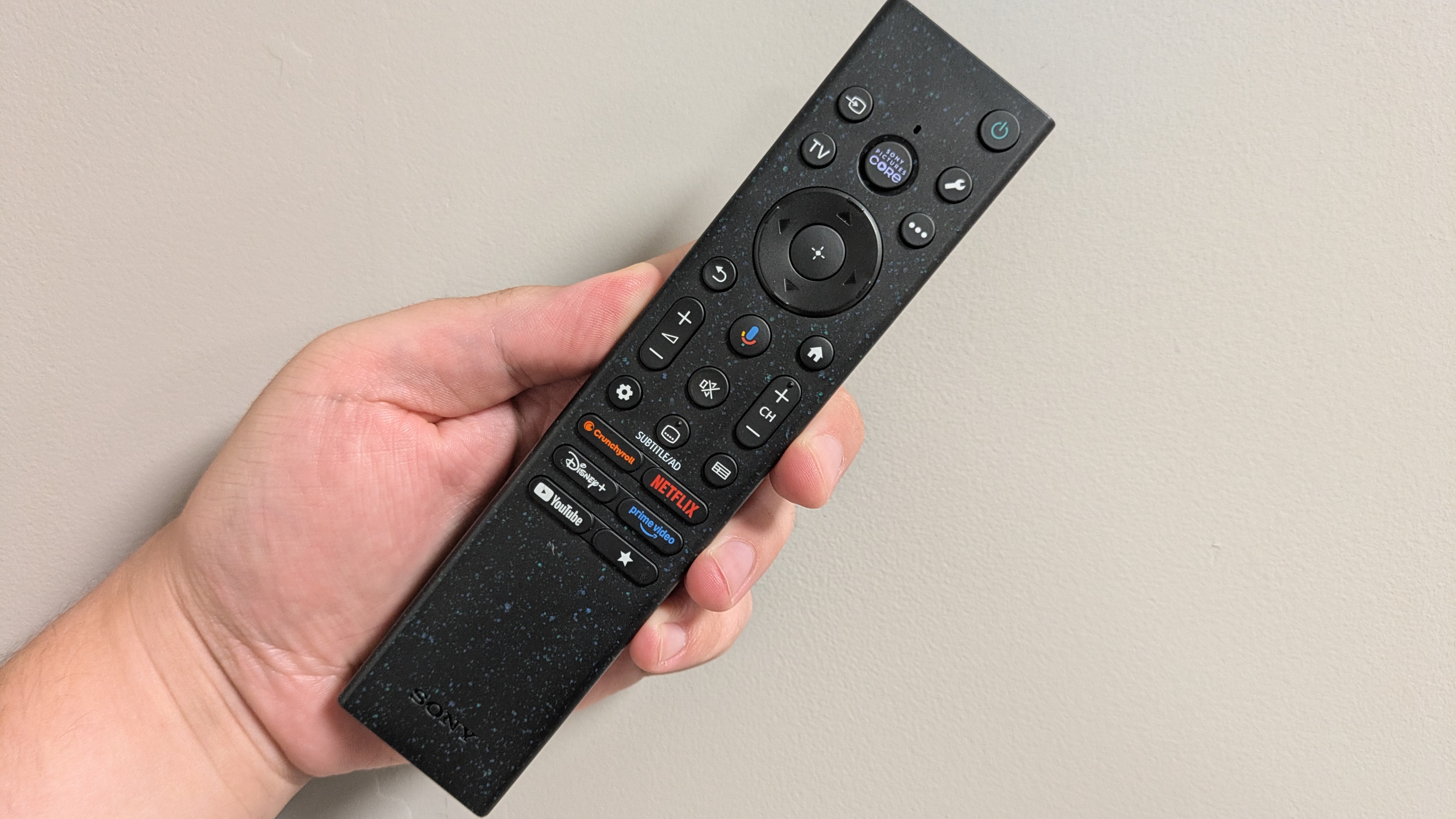
I would've liked a more premium remote for the price of the TV (Image credit: Future)
Solid value
Very good performance and features
Similar price bracket to LG OLED C6
The Bravia 7 II is a mid-range model, and while its 65-inch model, which currently costs $1,799 / £1,899 / AU$3,295, is a premium price tag for this price bracket, it performs well for the money, giving both the LG C6 and Samsung R95H (Samsung’s flagship RGB TV) a run for their money when I tested them side-by-side: and it’s cheaper than both.
The Bravia 7 II’s closest OLED competitor is the LG C6, which costs $1,799 / £2,099 / AU$3,295 for a 65-inch, meaning it’s the same price in both the US and Australia. While the Bravia 7 II doesn’t quite top the C6 in terms of value for money, as it's missing some features, like four HDMI 2.1 ports, which the C6 has, the Bravia 7 II is good overall value for money in the new RGB world.
Value score: 4/5
Should I buy the Sony Bravia 7 II?
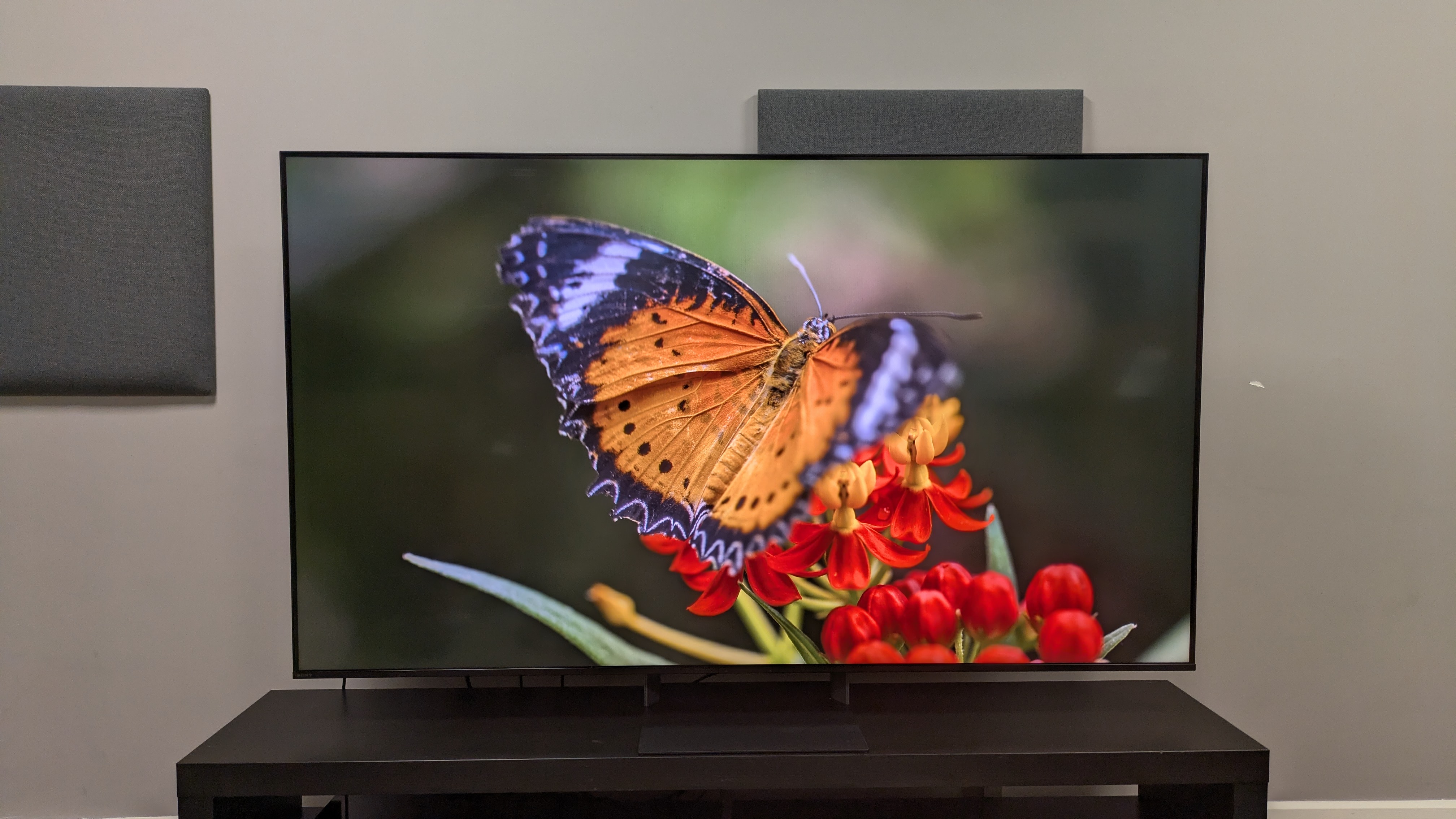
(Image credit: Future)
Buy it if...
You want great overall picture quality The Bravia 7 II shows what RGB TVs can be capable of, with excellent color reproduction, strong contrast and black tones and better-than-mini-LED backlight control.
You want a gaming RGB TV With 4K 120Hz, Dolby Vision gaming, VRR and ALLM supported, plus a 10.4ms input lag time, the Bravia 7 II is a strong gaming TV.
You want to see what RGB LED can do While some RGB TVs I've tested so far haven't quite lived up to the hype, the Bravia 7 II shows what the new tech is capable of at a more 'affordable' price point.
Don't buy it if...
You'll be watching from an angle While off-center viewing is still decent, backlight blooming and faded contrast can appear when watching the Bravia 7 II from an angle.
You have a very bright room The Bravia 7 II does have a reflective screen, which can make watching darker scenes difficult in brighter viewing conditions.
You need multiple HDMI 2.1 ports for gaming The Bravia 7 II only has two HDMI 2.1 ports (one of which is eARC), so if you have multiple consoles and a soundbar, you'll struggle for space.
Also Consider
LG C6 The main OLED rival of the Bravia 7 II, the LG C6 is one of 2026's best TVs, delivering excellent picture quality and performance. While the C6 offers better contrast, colors, and black tones, along with a full suite of gaming features, the Bravia 7 II went toe-to-toe with the C6 when I tested them side-by-side. They're both in a similar price bracket, so it comes down to panel tech preference.
Read our full
Samsung R95H Samsung's flagship Micro RGB TV is brighter than the Bravia 7 II and has more gaming features, while also delivering the same strong contrast and backlight performance. In my head-to-head test of the two, the Bravia 7 II's colors and detail were stronger overall, however. The Bravia 7 II is also significantly cheaper.
Read our
Hisense UR8 Hisense's affordable RGB mini-LED, the UR8, delivers good picture quality and features at a very competitive price in the US and Australia. While it delivers similar contrast and backlight control to the Bravia 7 II, the latter delivers stronger colors and detail that give it better picture quality.
Read our
How I tested the Sony Bravia 7 II
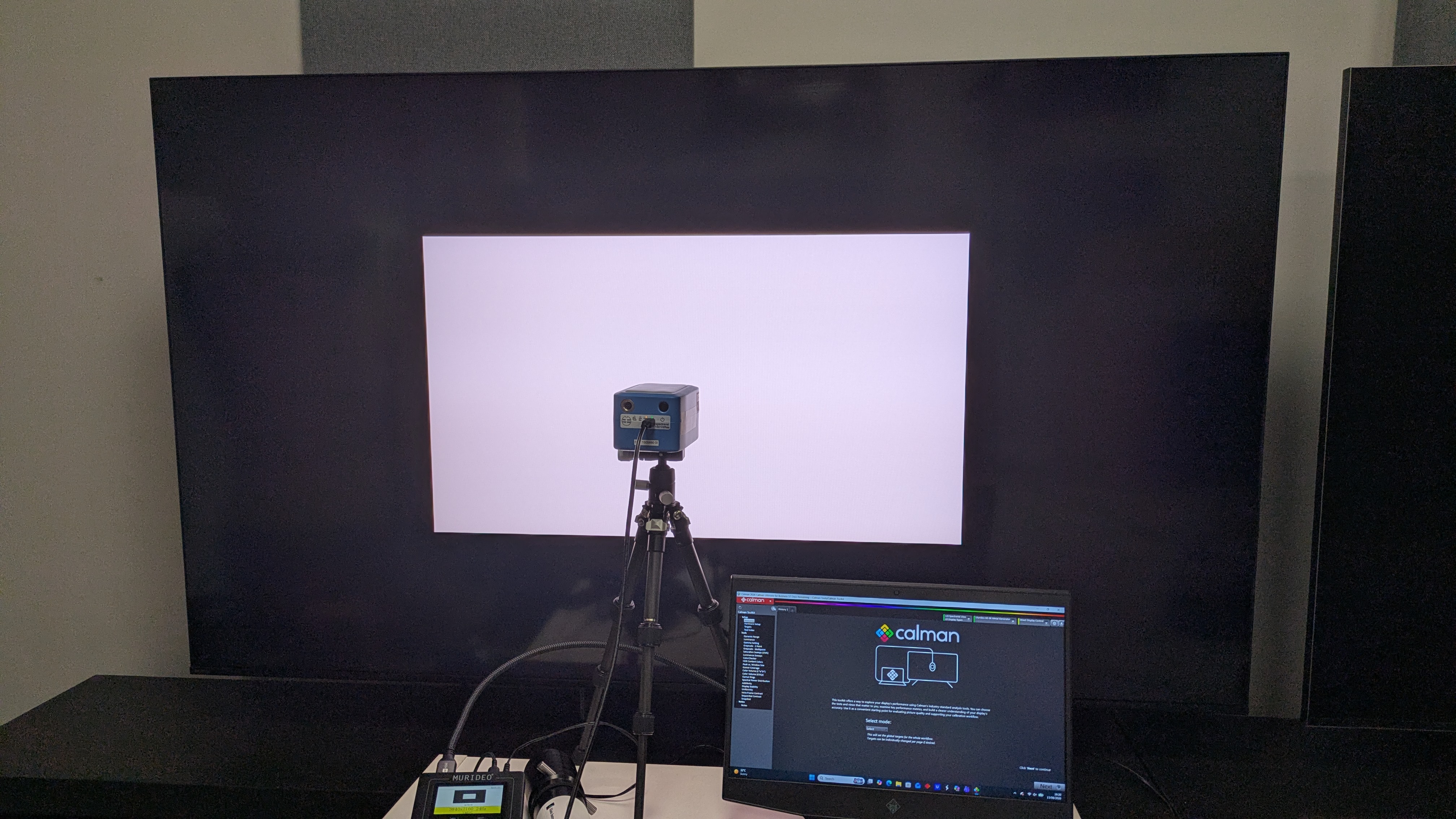
(Image credit: Future)
Tested over several weeks in our testing lab
Tested in both light and dark conditions
Measurements taken using Portrait Displays' Calman Color Calibration software
Before conducting my full testing of the Sony Bravia 7 II, I first did some casual viewing to establish its best picture modes, opting for Professional mode in darker conditions and Cinema mode for brighter conditions and brighter movies.
I next moved on to critical viewing, using reference scenes from 4K Blu-ray to test color, contrast, detail, motion, upscaling and backlight performance. I also used SDR sources such as DVD, broadcast TV, and lower-resolution streaming.
I also used reference scenes from movies such as Speed Racer and The Batman to test the Bravia 7 II's built-in speakers.
Once these subjective tests were complete, I took testing measurements using Color Calibration software and specialized equipment, including a Murideo Six G 8K Metal test pattern generator and a Klein 10-A colorimeter, which was profiled with a Jeti Spectral 15VA spectroradiometer.
The first measurements I took were of the Bravia 7 II's brightness. Using 1-100% white window patterns, in both HDR and SDR, I focused primarily on the 10% (for peak brightness) and 100% (for full-screen brightness) window patterns, which are featured in the graphs above.
Next, I measured its HDR color gamut coverage, using both the UHDA-P3 and BT.2020 color spaces.
I also measured its grayscale and color accuracy in SDR using Delta-E values (the margin of error between the test pattern signal and what the screen shows) to determine its accuracy, hoping for a score below 3.
Finally, I measured its input lag using a Leo Bodnar 4K HDMI Input Lag Tester, measuring both 4K 60Hz and 1080p 120Hz in milliseconds.
Read our in-depth overview of .
First reviewed: August 2026